NEWS: A free TradingView indicator for High Impact news events
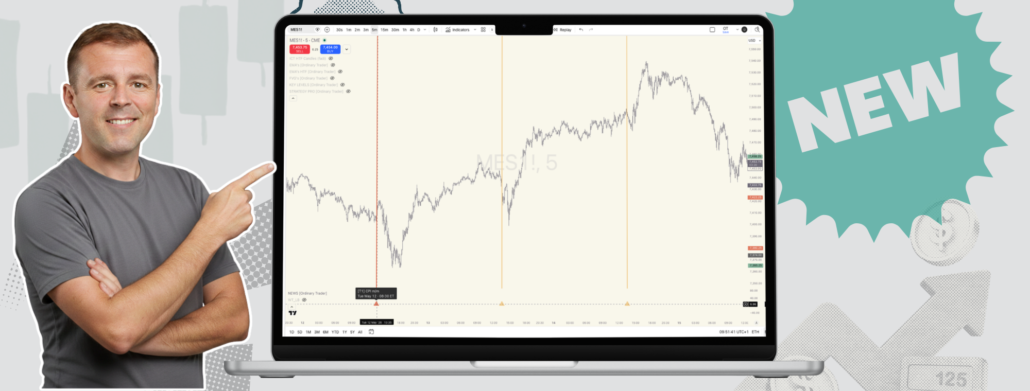
You’ve just entered a clean and promising setup. Structure looks right. Risk is defined. You’re sitting at maybe half-R in profit and the trade is doing exactly what you expected.
Then a huge candle appears out of nowhere. CPI was at 8:30 ET. You forgot. Or you knew but lost track. Either way, you’re stopped out and then the move you were waiting for keeps going without you.
Most of us have done this. More than once.
That’s the gap I wanted to close with the new free indicator I’ve put together. It’s called NEWS by [Ordinary Trader], it runs on TradingView, and it’s available now.
What it actually does
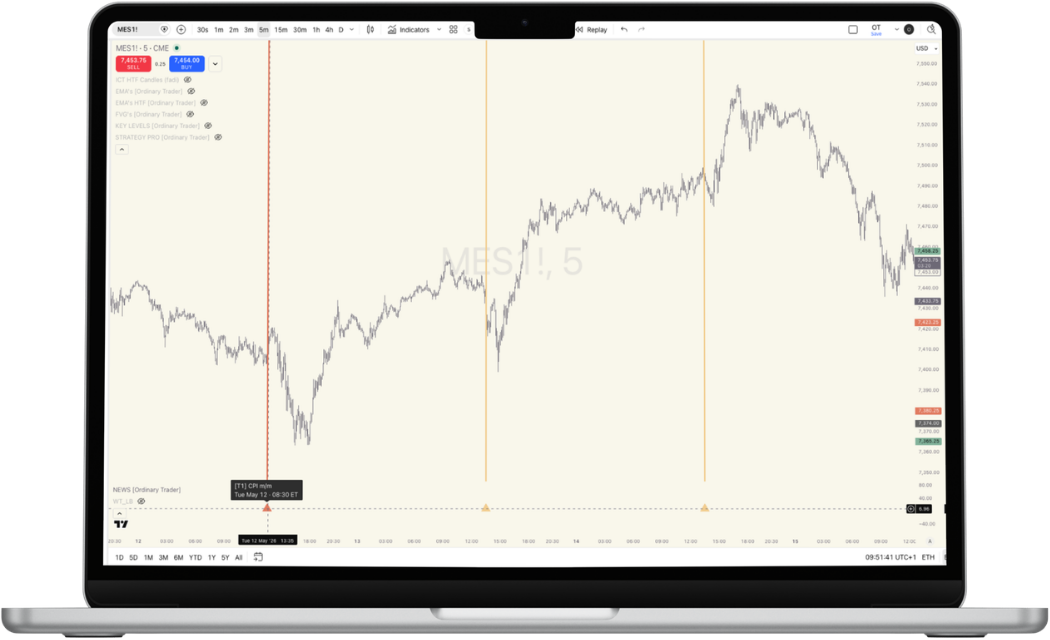
NEWS marks high-impact USD economic events directly on your chart. CPI, NFP, FOMC rate decisions, PCE, GDP, and the rest of the red-folder calendar. Both past events and upcoming ones.
Each event shows up as a full-height vertical column at the exact event time. Below the chart, in a thin pane, there’s a small triangle marker. Hover over it and a tooltip tells you the event name, day, date, and time in whatever timezone you’ve set.
About three months of historical events stay visible, so you can scroll back and see how price actually reacted last time. Roughly a week of upcoming events floats in the projected area to the right of your latest candle, so you know what’s coming before you’ve even taken your first trade of the day.
That second part matters more than people realise. Knowing CPI is in two hours changes how you size, where you set stops, and whether you take a trade at all.
Pre-event alerts (the bit I use most)
You can also set TradingView alerts to fire a fixed number of minutes before each visible event. Default is 30, but it’s configurable.
A ping on your phone, browser, or email half an hour before NFP. Thirty minutes to flatten, widen stops, or just step away from the screen. No more refreshing the calendar every twenty minutes during the London to New York crossover.
It’s a one-time setup. Enable alerts in the indicator settings, add a TradingView alert with the condition set to “Any alert() function call,” and that’s it. Same filters apply, so you only get pinged for events you’ve actually left visible.
How the tier system works
Not every news event deserves the same level of caution. NEWS auto-classifies events into four groups, each with its own colour:
- Tier 1: The big ones. CPI, NFP, FOMC Rate Decision, PCE, GDP.
- Tier 2: High impact but a step down. FOMC Minutes, Retail Sales, ISM PMI, PPI.
- Tier 3: Medium impact. ADP, Consumer Confidence, Michigan, JOLTS, Initial Jobless Claims, Durable Goods.
- Uncategorised: Everything else, off by default.
You can toggle whole tiers on or off, or mute specific events you don’t care about. If you only sit out for Tier 1, leave the rest off. Chart stays clean.
Timezones, because nobody trades from one place
Ten timezone options for tooltips and alerts. ET, CT, PT, UTC, UK, CET, Tokyo, HK, Singapore, Sydney. DST is handled automatically, so you don’t need to think about the spring or autumn shift.
Set it once and move on.
How this fits the methodology
If you’ve read anything else on the site, you’ll know the Ordinary Trader approach calls for standing aside during high-impact news. Not because news is unbeatable, but because it’s a different game. Volatility spikes, spreads widen, stops get hunted, and the structural read that worked five minutes earlier becomes noise.
The honest answer is: I’d rather miss a move than get chopped up trying to trade through one.
NEWS doesn’t change that rule. It just makes the rule easier to follow. The whole point is to take a decision that’s already been made (don’t trade through CPI) and remove the part where you have to remember it under pressure.
That’s the pattern with most useful trading tools. They don’t make new decisions for you. They protect the ones you’ve already made when you were calm.
Where it sits in the toolkit
NEWS joins the rest of the free Ordinary Trader indicators: EMAs, FVGs, KEY LEVELS, ZONES, and STRATEGY (LITE and PRO). They’re built to work together, but you can also run NEWS on its own alongside whatever setup you already use.
If you trade USD futures, FX majors, or US indices, this is probably the simplest one to add to your chart today. The link is below.
And if you find yourself stopped out by an event you didn’t see coming, well, that’s the problem it was built for.